> For the complete documentation index, see [llms.txt](https://docs.voiceb.ai/llms.txt). Markdown versions of documentation pages are available by appending `.md` to page URLs; this page is available as [Markdown](https://docs.voiceb.ai/widget-configuration-guide/new-voiceb-web-widget-and-webrtc-voip-channel.md).
# New VoiceB Web Widget & WebRTC VoIP Channel
We’ve launched a new VoiceB Web Widget built exclusively on WebRTC VoIP.
By Alex Bisbe. December 30th 2025.
### New VoiceB Web Widget - Executive Summary
This is not a UI change.\
It’s a **channel shift**.
From now on, the widget runs **only on VoIP (WebRTC)** and is the foundation of **SuperVoice**—our product for driving more conversions inside digital journeys.
Phone numbers remain supported, but **SuperVoice ≠ phone calls**.
\
\
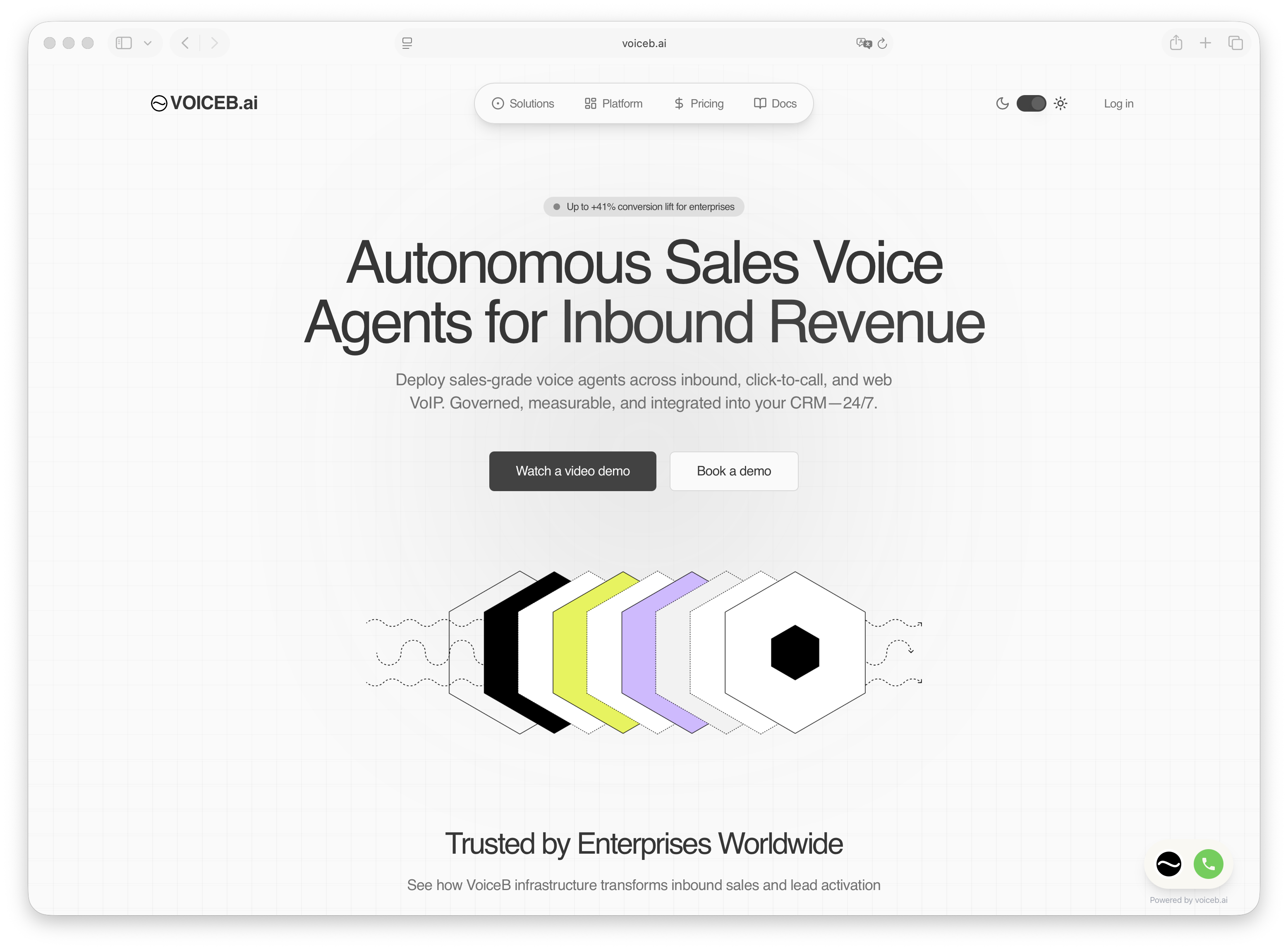
Web widget.
***
### What’s New
#### 1. New VoiceB Web Widget (VoIP-Only)
The new widget:
* Works **only with WebRTC VoIP**
* Connects users instantly with an AI agent in the browser
* Replaces chat, forms, and callbacks
* Is designed for **conversion, not support**
No PSTN. No dial tones. No friction.
Displayed on the image above is the latest widget located in the bottom left corner.
***
#### 2. WebRTC VoIP as a First-Class Channel
With WebRTC, VoiceB agents can:
* Start conversations instantly
* Speak while the user is still on the page
* Guide decisions in real time
* Close or qualify before intent decays
This is the backbone of **SuperVoice**.
***
### Available Voice Channels in VoiceB
| Channel | Use Case | Product |
| ------------------------ | -------------------------------------- | ------------------ |
| **WebRTC VoIP (Widget)** | Digital journeys, configurators, forms | **SuperVoice** |
| Inbound Phone Number | Legacy call traffic | SuperQualification |
| Click-to-Call (PSTN) | Transitional setups | SuperQualification |
| API (coming soon) | Programmatic voice | Platform |
👉 The **Widget only works with VoIP** by design.
***
### Why WebRTC VoIP Wins vs Phone Channels
#### Phone Calls (PSTN)
* Contextless
* High drop-off
* User leaves the website
* Slow, expensive, legacy
* Built for call centers
#### WebRTC VoIP (SuperVoice)
* **User stays in the digital journey**
* Zero latency
* Zero app switching
* Higher intent
* Lower cost
* Built for **conversion at the moment of truth**
This is not an optimization.\
It’s a **replacement**.
***
### SuperVoice vs Phone-Based AI Agents
#### SuperVoice (Widget + WebRTC)
Best for:
* Car configurators
* Telecom plan selectors
* Insurance quotes
* Complex forms
* Assisted checkouts
What it does:
* Guides users step by step
* Answers objections live
* Increases completion rates
* Converts anonymous traffic into qualified demand
#### Phone Channels
Best for:
* Existing inbound traffic
* Overflow handling
* Legacy operations
Different tools. Different goals.
***
### How to Configure SuperVoice (VoIP Widget)
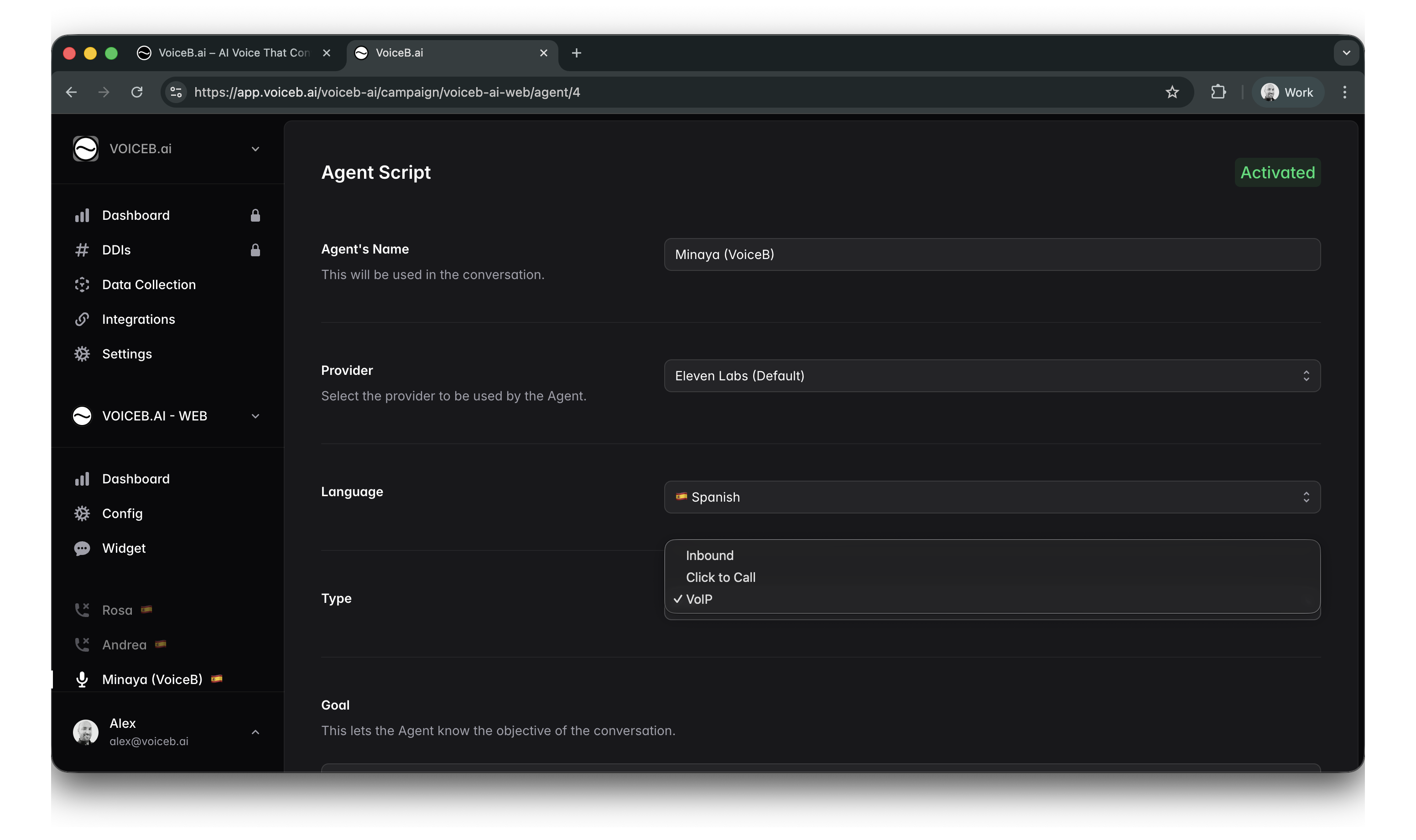
#### Step 1: Configure the Agent
Path:\
**Campaign → Agent → Type**
Select:
* **VoIP**
Set:
* Language
* Voice provider
* Goal
* Script
* Objections
Activate the agent.
***
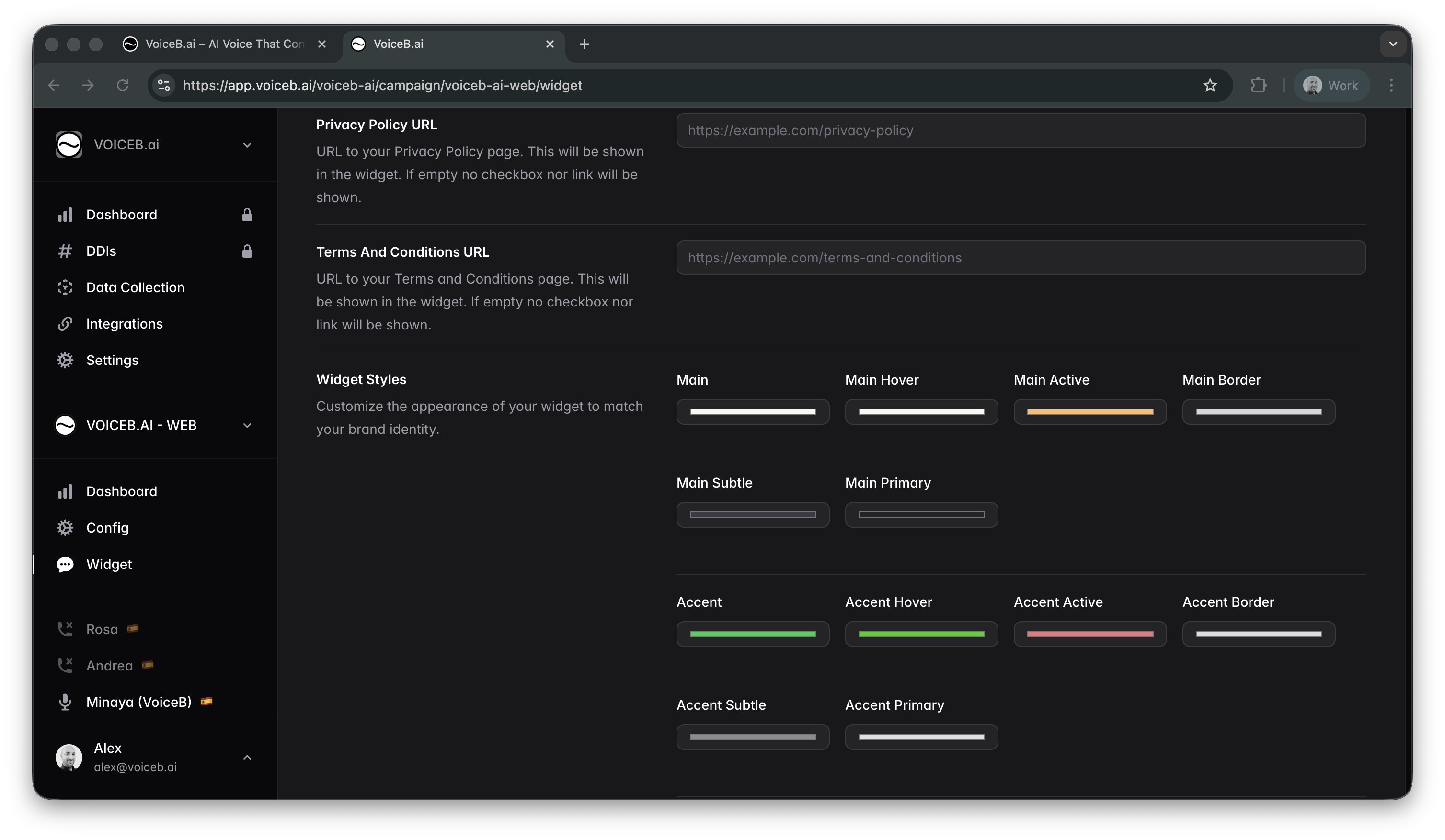
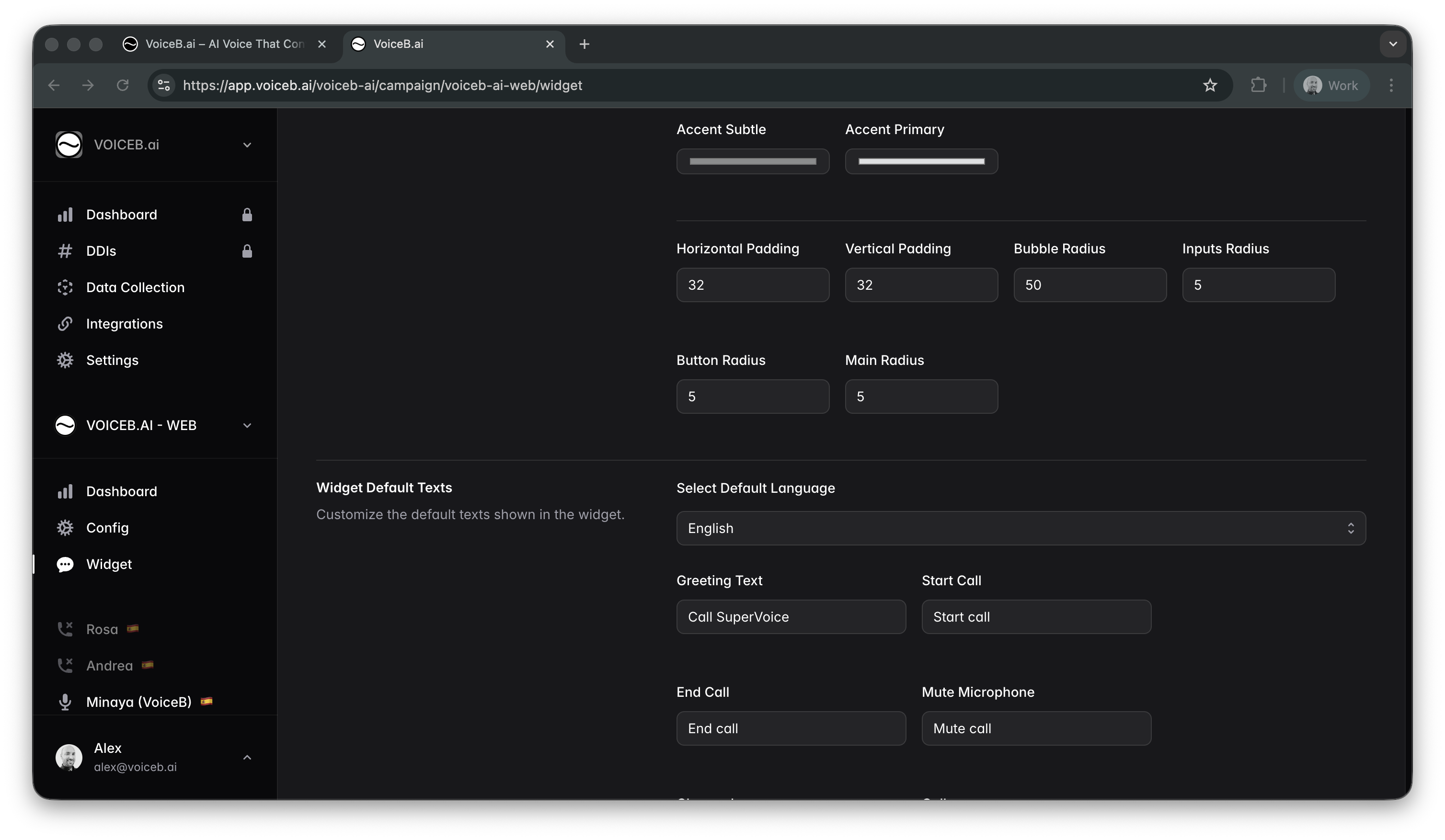
#### Step 2: Configure the Widget
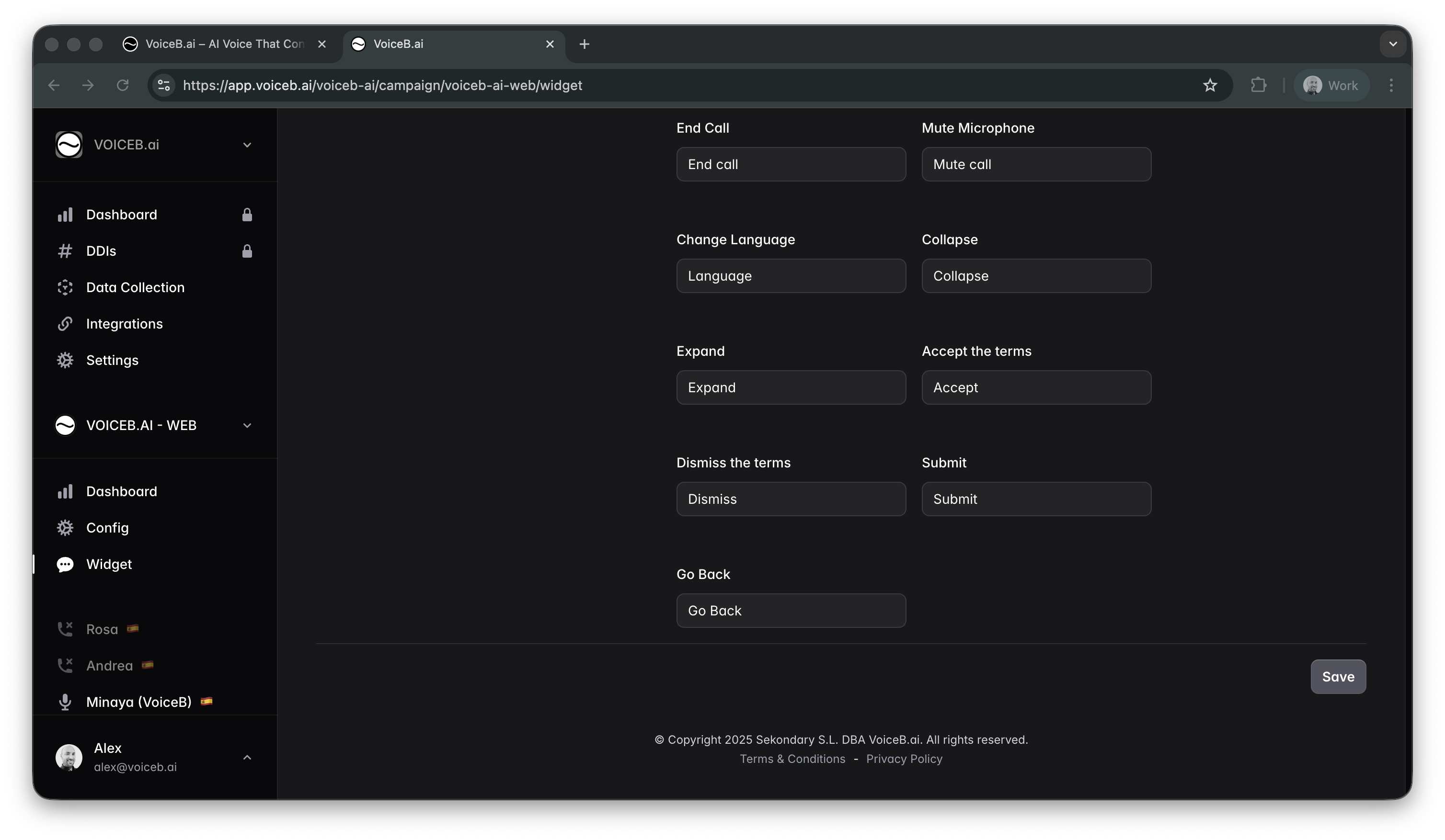
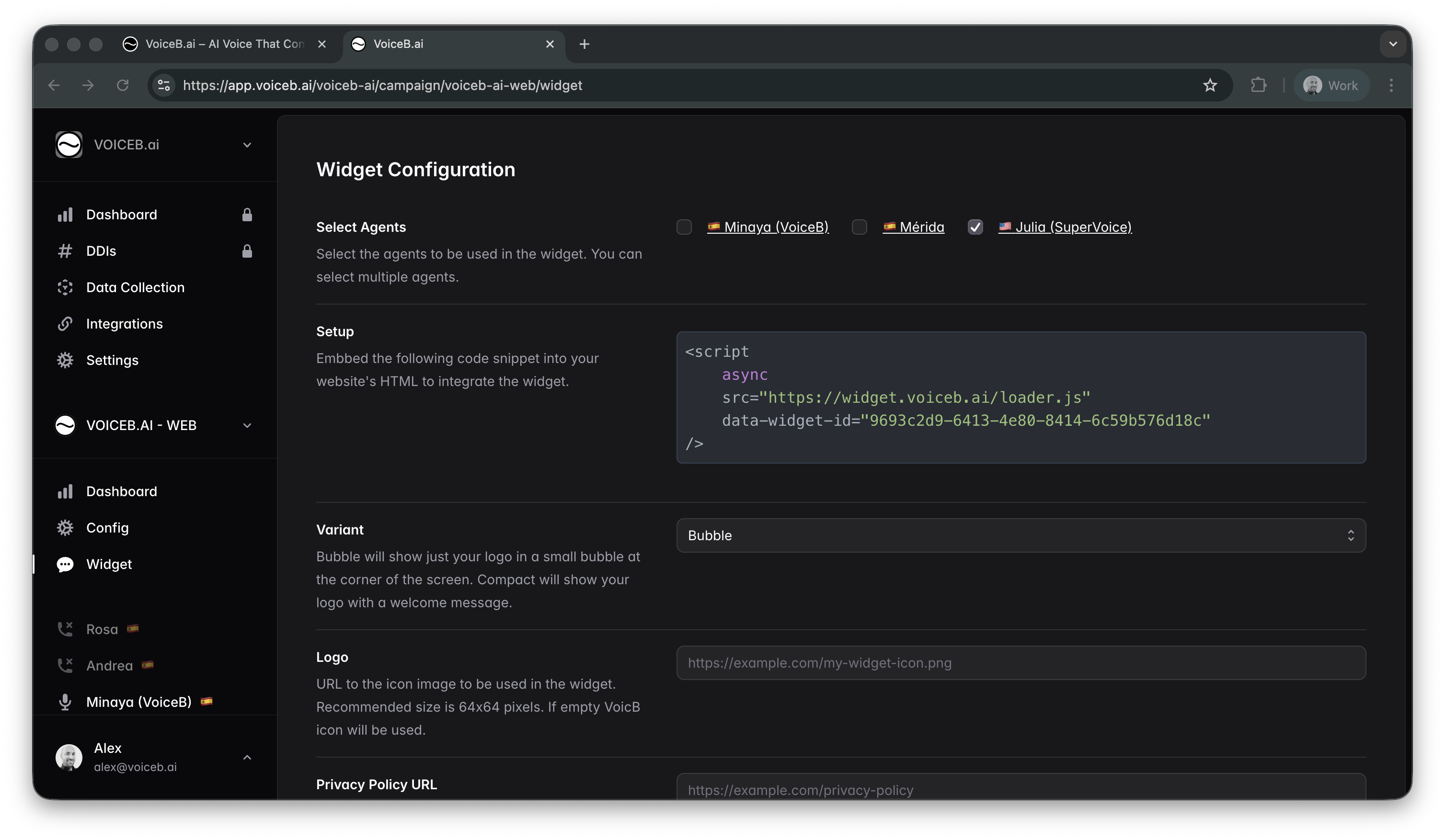
Path:\
**Campaign → Widget**
Here you can:
* Select VoIP agents
* Customize UI and brand
* Set default language and texts
* Add legal URLs
* Generate the embed script
Deploy the script on your site.
That’s it. SuperVoice is live.\
***
### Analytics & Control
Every WebRTC conversation is tracked:
* Calls
* Duration
* Outcomes
* Conversion rate
* Agent performance
Same VoiceB dashboards.\
More signal. Less noise.\
***
#### 👩🏻💻 📲 VoIP to Phone Call Transfer (AI → Human Handoff)
VoiceB supports **hybrid call flows** where conversations **start in VoIP (WebRTC)** and are seamlessly **transferred to a human agent on a traditional phone line**.
**How it works**
* A user starts a call via the **VoiceB Web Widget (VoIP/WebRTC)**.
* The AI agent handles the conversation: greeting, intent detection, qualification, and data collection.
* When predefined conditions are met (lead qualified, request to speak to an agent, business rules), VoiceB **converts the VoIP call into a regular phone call (PSTN)**.
* The call is transferred to the call center with full conversational context.
**Why this matters**
* **Lower entry friction**: WebRTC removes the need to dial or switch devices.
* **Wider funnel**: More users engage when the first step is VoIP.
* **Smarter escalation**: Only qualified conversations reach human agents.
* **Better agent efficiency**: Humans focus on closing, not filtering.
**Recommended use cases**
* Inbound sales qualification before agent transfer
* High-traffic digital journeys (telecom, energy, automotive, finance)
* Reducing call center load while maintaining conversion quality
This approach combines the scalability of VoIP with the reliability of traditional call centers.
How to setup a transfer call: [click here](https://docs.voiceb.ai/call-transfer-redirect-calls-to-a-human-agent).
***
### Bottom Line
* The **Widget is new**
* The **Widget is VoIP-only**
* **WebRTC is the future of inbound sales**
* **SuperVoice is built for digital conversion, not phone calls**
If the user is already on your website, **making them dial a number is a failure**.
SuperVoice fixes that.
---
# Agent Instructions
This documentation is published with GitBook. GitBook is the documentation platform designed so that both humans and AI agents can read, navigate, and reason over technical content effectively. Learn more at gitbook.com.
## Querying This Documentation
If you need additional information that is not directly available in this page, you can query the documentation dynamically by asking a question.
Perform an HTTP GET request on the current page URL with the `ask` query parameter, and the optional `goal` query parameter:
```
GET https://docs.voiceb.ai/widget-configuration-guide/new-voiceb-web-widget-and-webrtc-voip-channel.md?ask=&goal=
```
`ask` is the immediate question: it should be specific, self-contained, and written in natural language.
`goal` is optional and describes the broader end goal you are ultimately trying to accomplish on behalf of the user. GitBook uses it to tailor the answer towards what is most useful for that goal.
The response will contain a direct answer to the question and relevant excerpts and sources from the documentation.
Use this mechanism when the answer is not explicitly present in the current page, you need clarification or additional context, or you want to retrieve related documentation sections.