> For the complete documentation index, see [llms.txt](https://docs.voiceb.ai/llms.txt). Markdown versions of documentation pages are available by appending `.md` to page URLs; this page is available as [Markdown](https://docs.voiceb.ai/product-updates/november-2025-voiceb.ai-product-release.md).
# November 2025 – VoiceB.ai Product Release
By Alex Bisbe. November 27th, 2025
November delivered a set of high-impact improvements across data handling, configuration usability, and agent testing workflows. The focus was to streamline operational readiness, eliminate friction in agent setup, and increase the value of Talk-To-Agent outcomes by surfacing actionable insights directly inside the platform and through integrations.
### **1. Talk To Agent – Collected Data Now Visible & Fully Forwarded**
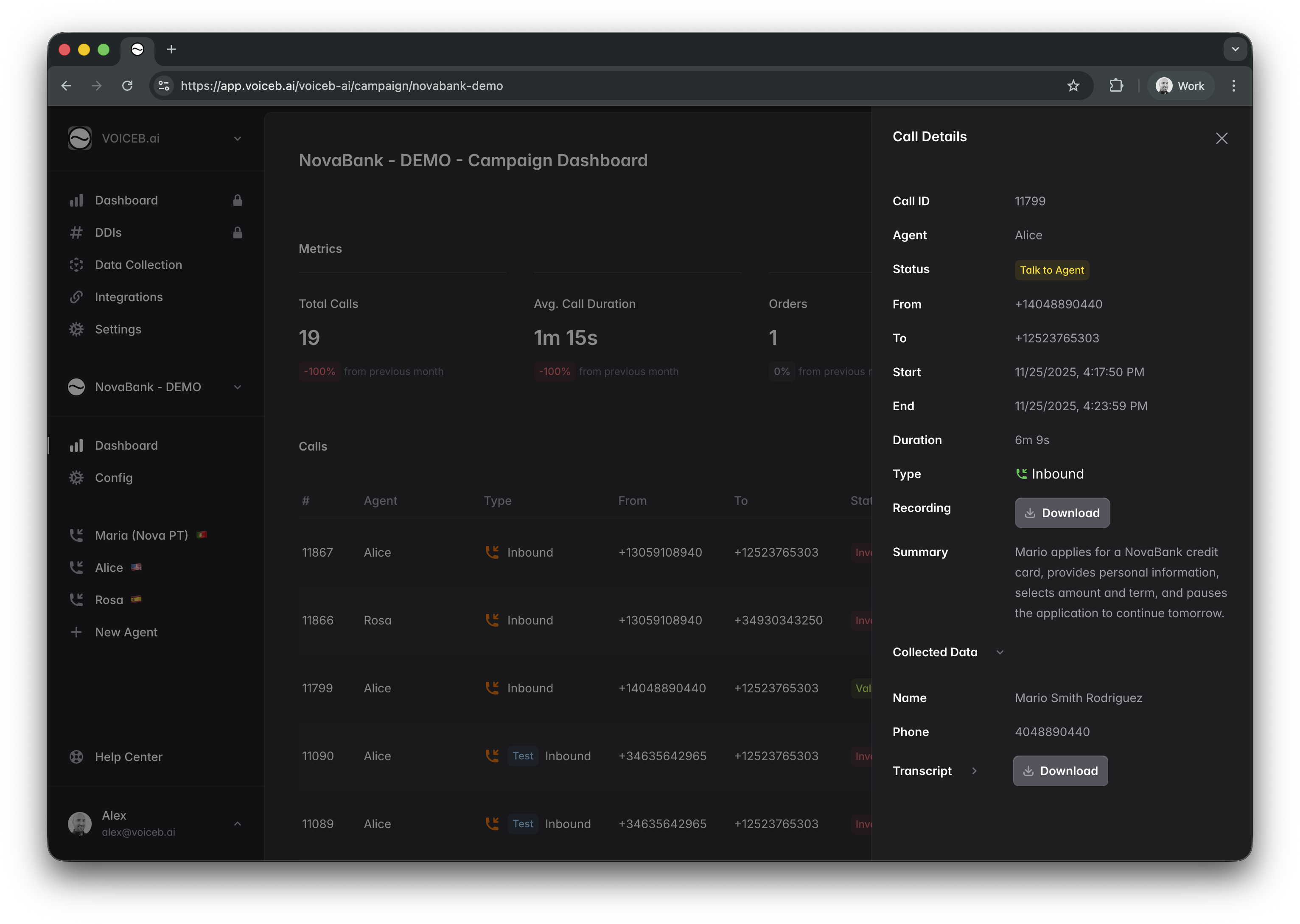
Talk-to-Agent outcomes now include **all COLLECTED DATA captured by the AI**.\
This dataset is:
* Displayed in the VoiceB app inside the call details view.
* Delivered through Webhook payloads in real time to CRM, CDP, or internal systems.
This closes the loop between qualification and handover, ensuring downstream teams receive structured, validated intel without manual extraction.
***
### **2. Script Save Experience – “Last Save” Indicator Added**
We added a persistent save-status indicator inside the script editor:
**Last save: October 18th, 05:33pm CET**\
This creates full transparency for operators and prevents accidental overwrites during multi-person workflows. Saves are now explicit, visible, and traceable.
***
### **3. Automatic Merge of Data Collection + Dynamic Variables**
VoiceB now merges **dynamic variables** with **Data Collection fields** automatically.
If the form and the AI agent collect fields with the same name (e.g., **name**, **last\_name**, **phone**, **email**, **product\_of\_interest**), the system merges them into a single record.\
No duplicates. No collisions. No manual cleaning.
This unlocks cleaner exports, cleaner CRM syncs, and more reliable downstream analytics.
***
### **4. Improved Data Collection Selector (UI Upgrade)**
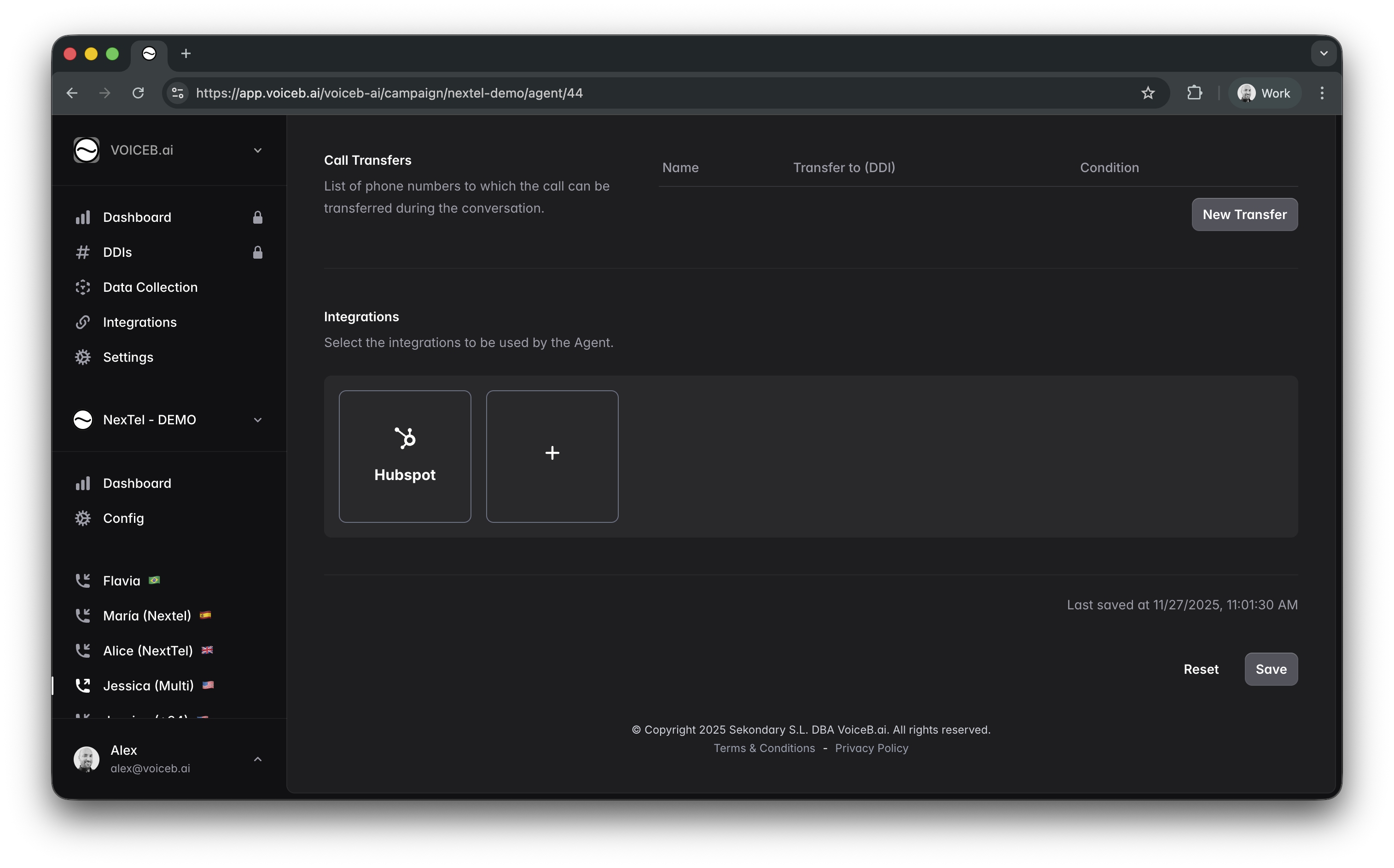
In Agents Configuration, the Data Collection selector has been re-designed to eliminate guesswork:
* Displays the **schema field names** of the selected collection.
* Shows **tabbed navigation** of all fields included (see screenshot reference).
* Ensures operators instantly understand what the agent will request and what will be pushed downstream.
This turns data-collection setup into a visual, structured experience rather than a blind configuration.
***
### **5. Test Click-to-Call – New Instant Test Feature**
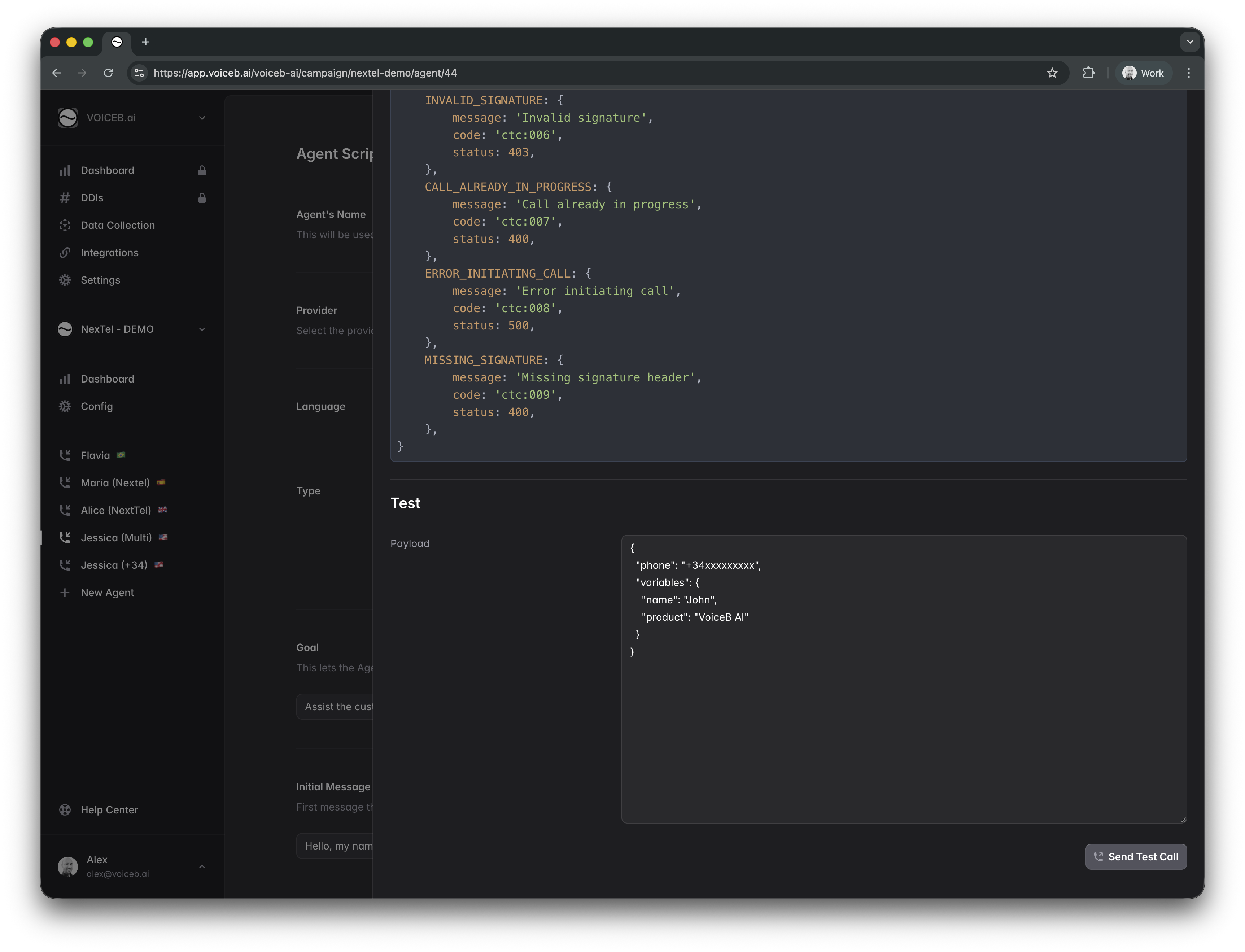
A **“Send Test Call”** function has been added at the bottom of the Click-to-Call configuration drawer (see screenshot).
This enables operators to:
* Trigger instant test calls to validate the workflow
* Verify variable injection
* Ensure the endpoint is correctly configured
* Validate call routing before a campaign goes live
This reduces go-live friction and increases operational confidence across teams.
***
## **Summary**
November’s release strengthens VoiceB’s operational backbone:
* Richer Talk-to-Agent handovers
* Cleaner and smarter data unification
* More transparent script operations
* Faster agent testing
* More intuitive configuration workflows
These enhancements sharpen execution quality for enterprise deployments and accelerate time-to-value for every new campaign launched.
***
---
# Agent Instructions
This documentation is published with GitBook. GitBook is the documentation platform designed so that both humans and AI agents can read, navigate, and reason over technical content effectively. Learn more at gitbook.com.
## Querying This Documentation
If you need additional information that is not directly available in this page, you can query the documentation dynamically by asking a question.
Perform an HTTP GET request on the current page URL with the `ask` query parameter, and the optional `goal` query parameter:
```
GET https://docs.voiceb.ai/product-updates/november-2025-voiceb.ai-product-release.md?ask=&goal=
```
`ask` is the immediate question: it should be specific, self-contained, and written in natural language.
`goal` is optional and describes the broader end goal you are ultimately trying to accomplish on behalf of the user. GitBook uses it to tailor the answer towards what is most useful for that goal.
The response will contain a direct answer to the question and relevant excerpts and sources from the documentation.
Use this mechanism when the answer is not explicitly present in the current page, you need clarification or additional context, or you want to retrieve related documentation sections.